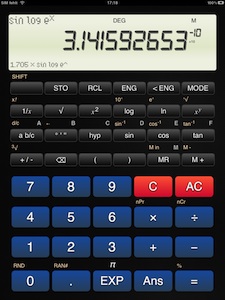
Old School Calculator
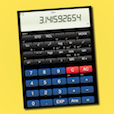
Old School Calculator is a scientific calculator doing plain and simple math.
Just input a formula as you would write it down.
The calculator comes with decimal, sexagesimal, exponential and fractional displays. It performs arithmetic,
trigonometric and logarithmic functions. It knows about permutations, combinations and coordinate conversion.
...and it stores up to 7 numerical results!
Really simple input
Old School Calculator knows about precedence rules.
Example: 10 + 2×6 - 15 ÷ (1 + 2) = 17
| input |
display |
|
1
0
+
|
10. +
|
|
2
×
6
-
|
22. -
|
|
1
5
÷
(
|
( 0.
|
|
1
+
2
)
|
3.
|
|
=
|
= 17.
|
The following examples use a shorter notation.
Instead of 10.25 you would type
10.25.
Old School Calculator accepts algebraic (infix) and old-style input methods.
You can set the input method to be used on the settings page (gear in
the top right corner).
An example with algebraic (infix) input method: √2 ÷ cos -45° = 2
√2÷cos45+/-== 2.
The same example with old-style input method: √2 ÷ cos -45° = 2
2√÷45+/-cos== 2.
Number input
| Category |
Example |
|
Input |
| rational numbers |
0.3 |
|
.3 or 0.3 |
| negative numbers |
-4.7 |
|
4.7+/- |
| exponential notation |
3×10² |
(=300) |
3EXP2 |
|
-5.2×10³ |
(=-5200) |
5.2+/-EXP3 |
|
-8.3×10⁻⁴ |
(=-0.00083) |
8.3+/-EXP4+/- |
| pi |
π |
(=3.141592653...) |
EXP |
| fractions |
2/3 |
(=0.666666...) |
2a b/c3 |
|
5 1/4 |
(=5.25) |
5a b/c1a b/c4 |
| degrees |
5° 20' 30" |
(=5.341666...) |
5° ' "20° ' "30° ' " |
Functions 1
argumentfunction
For these functions you enter the argument followed by the function key.
|
Function |
Example |
Input |
Display |
| 1/x |
Reciprocal |
2-1 = 0.5 |
21/x= |
0.5 |
| x2 |
Square |
32 = 9 |
3x2=
|
9. |
| x! |
Factorial |
3! = 6 |
3SHIFTx!= |
6. |
Functions 2
Old School Calculator comes with 2 input methods: algebraic (infix) and old-style.
You can set the input method to be used on the settings page (gear
in top right corner).
algebraic (infix) input method
functionargument
Modern scientific calculators often use algebraic (infix) input method.
For these functions you press the function key followed by the argument if the
input method is set to algebraic (infix).
|
Function |
Example |
Display |
| √ |
Square root |
√9 = 3
√9= |
3. |
| 3√ |
Cube root |
3√27 = 3
SHIFT3√27=
|
3. |
| log |
Common logarithm |
log 100 = 2
log100= |
2. |
| 10x |
Powers of 10 |
102 = 100
SHIFT10x2= |
100. |
| ln |
Natural logarithm |
ln 10 = 2.302585093
ln10=
|
2.302585093 |
| ex |
Powers of e |
e2.302585093 = 10
SHIFTex2.302585093=
|
10. |
sin
cos
tan |
Sine, cosine, tangent |
sin 30° = 0.5
sin30= |
0.5 |
sin-1
cos-1
tan-1 |
Arc
sine, cosine, tangent |
asin 0.5 = 30°
SHIFTsin-1.5= |
30. |
hypsin
hypcos
hyptan |
Hyperbolic
sine, cosine, tangent |
sinh 5 = 74.20321058
hypsin5= |
74.20321058 |
hypsin-1
hypcos-1
hyptan-1 |
Inverse hyperbolic
sine, cosine, tangent |
sinh-1 74.20321058 = 5
SHIFThypsin-174.20321058= |
5. |
old-style input method
argument function
Older, more basic calculators often use this input method.
For these functions you enter the argument first and then
press the function key if the old-style input method is set.
|
function |
example |
display |
| √ |
Square root |
√9 = 3
9√= |
3. |
| 3√ |
Cube root |
3√27 = 3
27SHIFT3√=
|
3. |
| log |
Common logarithm |
log 100 = 2
100log= |
2. |
| 10x |
Powers of 10 |
102 = 100
2SHIFT10x= |
100. |
| ln |
Natural logarithm |
ln 10 = 2.302585093
10ln=
|
2.302585093 |
| ex |
Powers of e |
e2.302585093 = 10
2.302585093SHIFTex=
|
10. |
sin
cos
tan |
Sine, cosine, tangent |
sin 30° = 0.5
30sin= |
0.5 |
sin-1
cos-1
tan-1 |
Arc
sine, cosine, tangent |
asin 0.5 = 30°
.5SHIFTsin-1= |
30. |
hypsin
hypcos
hyptan |
Hyperbolic
sine, cosine, tangent |
sinh 5 = 74.20321058
5hypsin= |
74.20321058 |
hypsin-1
hypcos-1
hyptan-1 |
Inverse hyperbolic
sine, cosine, tangent |
sinh-1 74.20321058 = 5
74.20321058SHIFThypsin-1= |
5. |
Functions with two arguments
argument 1functionargument 2
|
function |
example |
display |
| xy |
Powers |
23 = 8
2xy3= |
8. |
| x√ |
Roots |
7√128 = 2
7SHIFTx√128= |
2. |
| nPr |
Permutations |
6 nPr 3 = 120
6SHIFTnPr3= |
120. |
| nCr |
Combinations |
6 nCr 3 = 20
6SHIFTnCr3= |
20. |
| R→P |
Rectangular to polar
coordinate conversion |
x=3, y=4: 3 RP 4 = 5 (r), 53.13010235 (θ)
3SHIFTR→P4= |
r = 5. |
|
|
SHIFTx ↔ y |
θ = 53.13010235 |
| P→R |
Polar to rectangular
coordinate conversion |
r=2, θ=60: 2 PR 60 = 1 (x), 1.732050808 (y)
2SHIFTP→R60= |
x = 1. |
|
|
SHIFTx ↔ y |
y = 1.732050808 |
Percentage calculations
You can set the kind of percentage calculation to be used on the settings page
(gear in top right corner).
Percentage calculations - advanced
Modern scientific calculators often use this kind of percentage calculation. The advanced percentage
calculation answers several questions easily.
19% of 120 = 22.8
120×19SHIFT%
22.8
Percentage of 80 represented by 25 = 31.25%
25÷80SHIFT%
31.25
19% add-on of 120 = 142.8
120×19SHIFT%+
142.8
30% discount of 1000 = 700
1000×30SHIFT%-
700.
20 apples are added to a basket with 50 apples. What is the percentage of the new number of
apples to the initial number of apples?: 140%
20+50SHIFT%
140.
If you got 50 EUR last week and 80 EUR this week, what is the percent increase?: 60%
80-50SHIFT%
60.
Percentage calculations - simple
Basic calculators come often with this kind of percentage calculation.
| example |
input |
display |
| 200 + 19% = 238 |
200+19SHIFT%= |
238. |
| 238 - 19% = 192.78 |
238-19SHIFT%= |
192.78 |
| 200 ÷ 50% = 2 |
200÷50SHIFT%= |
2. |
| 200 × 50% = 20000 |
200×50SHIFT%= |
20000. |
Comments
Thank you for your message!
History
Version 2.1
App Store 2011-07-15, Google Play Store 2011-08-14, BlackBerry App World 2011-08-18, webOS 2011-08-27.
- new: improber fractions.
- new Android: uses menu key and back key.
- new Android: changed icon.
- fix: random number, 3rd root.
Version 2.0
App Store 2011-03-30, Google Play Store 2011-03-28.
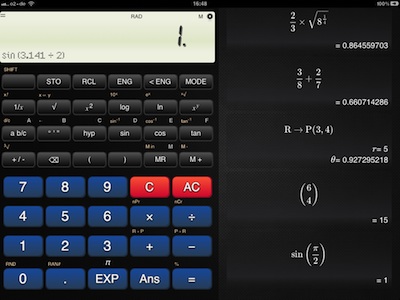
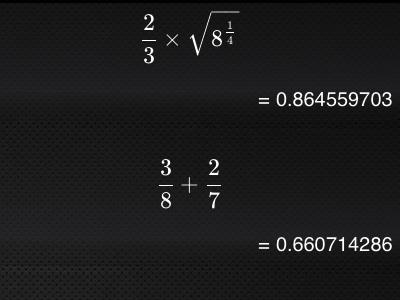
- new: beautiful math display using the power of TeX (iPad iOS 4.2+, Android tablets 1280x768).
- new: polar and rectangular coordinate conversion.
- new: register exchange.
- new: optimized for Android tablets.
Version 1.5.2
App Store 2011-02-22.
- new: inserts multiplication sign automatically: "4" "sin" => "4 × sin".
- fixed bugs: fractions and degrees display.
Version 1.5.1
App Store 2011-01-21, Google Play Store 2011-01-29.
- fixed bug: help opens in new window.
- fixed bug: key click for all keys.
Version 1.5
App Store 2011-01-18.
- new: algebraic (infix) and old-style input methods.
- new: simple and advanced percentage calculations.
- improved display.
- new: user guide.
- new: feedback form.
Version 1.4
App Store 2010-11-28.
- new: key clicks.
- changes for iOS 4.2
Version 1.3
App Store 2010-11-04.
- new: Shows entered expressions.
- improved display.
Version 1.2
App Store 2010-10-19.
Version 1.1
Google Play Store 2010-10-06.
- iPhone, iPad, Android
- new: RND, RAN#, percentage calculations, ENG, ENG-1
Version 1.0
App Store 2010-10-09.
- initial version.
- iPad only.
|