Works with any number of shifts and every roster. Just enter the shift sequence and a start date.
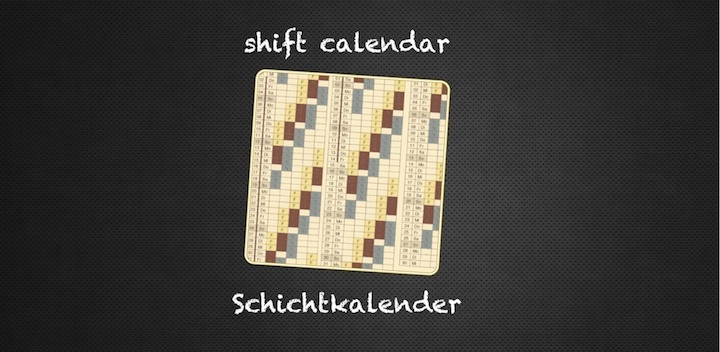
The app generates a calendar
showing the work shifts for each day in the year.
You can edit single days to change shifts or mark them as holidays. Shift calendar marks official holidays
and school vacations for many countries.
Available premium features: email your calendar as a PDF document; synchronize with iOS calendar app.
The field "work shift pattern" contains the shift sequence.
Shift calendar marks the "start date" with the first element of the shift sequence.
The following day gets the second element of the shift sequence (and so on). If the sequence ends, the
first element will be used again.
Hints:
Shifts in the shift sequence are separated by space characters: "F F F" instead of "FFF".
Days off can be marked with "-".
Synchronize with iOS calendar (premium feature)
All shift data will be copied to a newly created iOS calendar called "shifts".
IMPORTANT: Do NOT modify this iOS "shifts" calendar, please! Because a new sync will overwrite all existing entries.
Please check this if there is a problem with the synchronization:
The shift calendar app must be allowed to access the iOS calendars: Open Settings / Privacy / Calendars;
The switch for the shift calendar app must be ON.
You can create the "shifts" calendar manually if it could not be created automatically:
Open the iOS calendar app; press "Calendars" in the upper left corner; press "Edit" in the upper left corner;
in the section "On My iPhone" press "Add Calendar..."; Enter "shifts" (without quotes) as Calendar Name and save.
Send per email (premium feature)
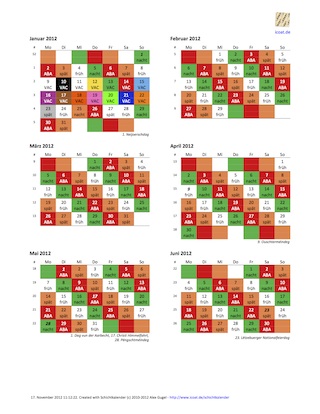
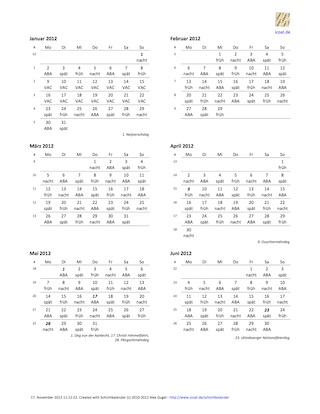
Create a PDF version of your shift calendar and send it to your email address.
You can print this PDF and share it with your friends.
This feature is currently available for Android (Google Play Store) and iOS (Apple App Store).
colored version
black/white version
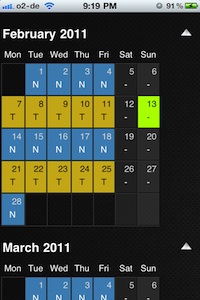
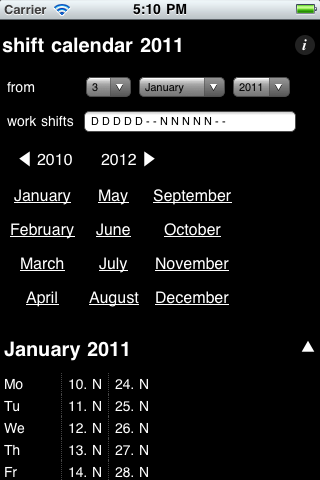
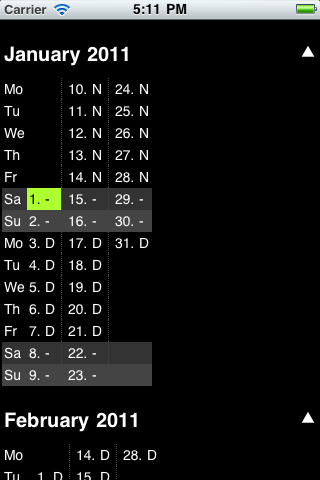
Example: 2 shifts changing every week
A company works with 2 shifts from monday to friday: a day shift and a night shift.
The shifts changes every week.
You could enter "3. January 2011" (a monday) as a start date and "D D D D D - - N N N N N - -"
as work shift pattern (5 day shifts, followed by 2 days off, followed by 5 night shifts, followed by 2 days off, repeat.)
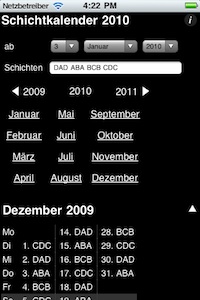
3 column month view
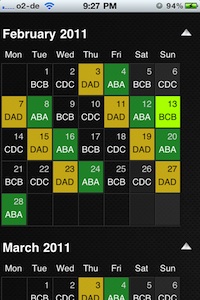
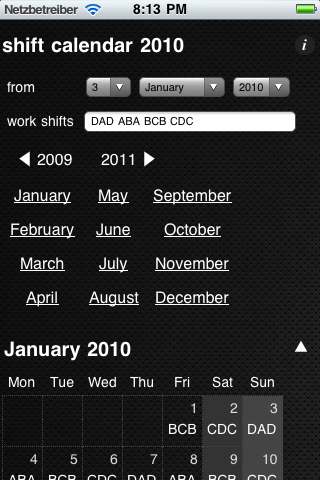
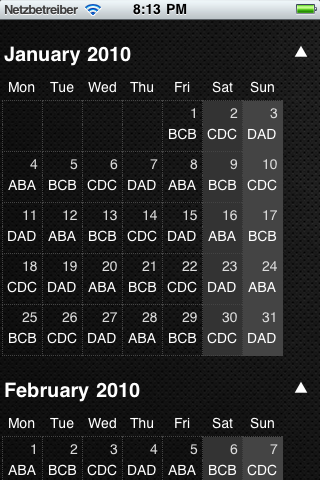
Example: "4 shift model" of the german state police.
4 groups of police officers (A, B, C and D) work 3 shifts (a morning, a day, and a night shift) for
7 days a week. The shift sequence is "DAD ABA BCB CDC" starting at 3rd January 2010.
An officer of group "A" has a day shift on the 3rd January ("DAD"), followed by a morning and a night
shift on the 4th January ("ABA"). After that she gets 2 days off ("BCB", "CDC"). This pattern starts over again
on the 7th January with "DAD".
7 column month view
You have to enter "3. January 2010" as as start date and "DAD ABA BCB CDC" as work shift pattern.
Vacation and notes
To edit a day: tap on that day -- hold -- and let go.
To delete entries, select an empty work shift and clear the note field.
Frequently asked questions
How can I enter my vacations and days off?
Perform a long touch on the first day of your vacation (long touch). Enter a new shift, like "VA" (vacation).












 How can I enter my vacations and days off?
 Perform a long touch on the first day of your vacation (long touch). Enter a new shift, like "VA" (vacation).